
How can you move a live game from Flash to HTML5 without rewriting the client or disrupting the experience players know? In this column, SuperCity Development Lead Kirill Ivanov explains how his team approached incremental modernization, why it kept some legacy tools, and how internal automation cut certain workflows from days to hours.
In theory, modernizing a legacy application sounds straightforward.
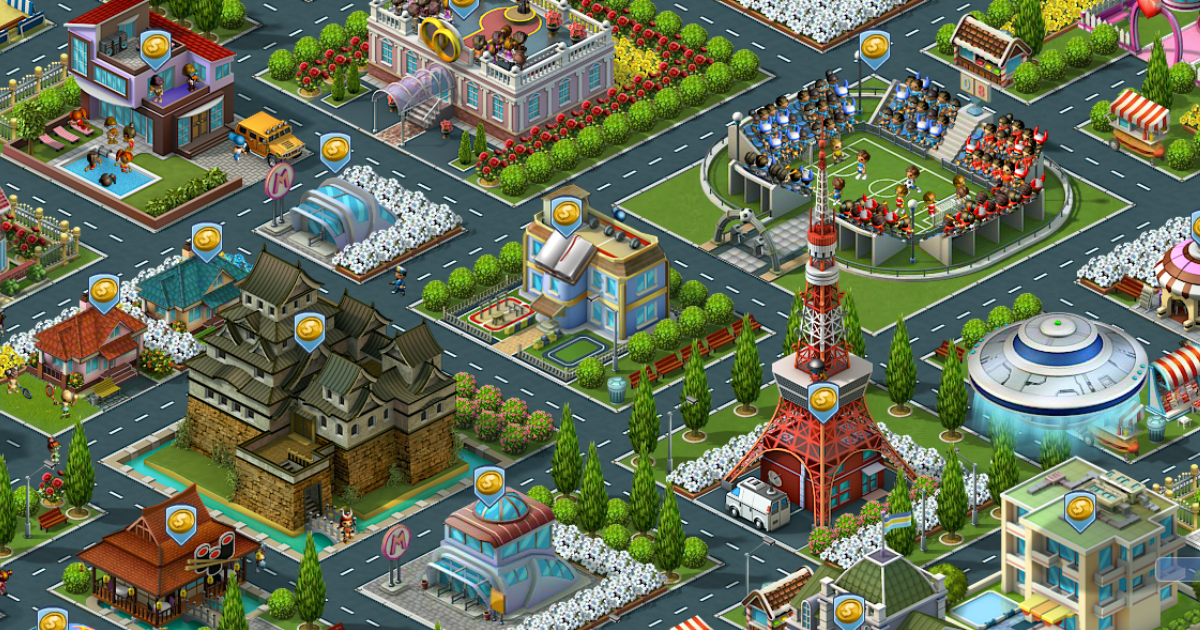
Identify outdated technology, replace it with a modern stack, remove the old dependencies, and continue development on a cleaner foundation. In practice, that becomes much more complicated when you are working on a live game that has been running for 15 years. That is the challenge we faced with SuperCity.
SuperCity launched in 2011. Today, its client is built on TypeScript and PixiJS, while PHP remains on the backend. However, parts of the production system still reflect decisions made during the Flash era. Artists continue to work with Adobe Animate. Existing content must remain compatible with established pipelines. And some browser-side infrastructure still preserves contracts originally designed around Flash Player.
For us, modernization has never meant replacing every old component. The challenge was to gradually replace a technology the industry had abandoned while preserving the game our players already knew.
The First Migration Solved the Player Problem, Not the Development Problem
Our first major step away from Flash came when browsers began phasing out support. SuperCity needed to keep running without Flash Player, but we did not immediately rewrite the entire client.
Instead, we used a conversion layer that transformed our existing ActionScript code into JavaScript for production. We also adapted PixiJS to reproduce the behavior the game expected from Flash Player. From the player’s perspective, the immediate problem was solved: SuperCity could keep running in the browser without the old plugin.

Inside the development process, however, Flash had not really disappeared.
We were still writing code in ActionScript, converting it during the build process, and dealing with an extra layer of debugging and maintenance whenever something changed. Over time, another problem became increasingly clear: Flash was becoming an isolated technology. Fewer engineers wanted to work with it, fewer tools were being developed, the ecosystem had largely stopped evolving, and the external expertise we could draw on was shrinking.
At some point, we had no realistic alternative to migration. The technology around the game had to evolve, or maintaining the game itself would become increasingly difficult.
But that did not automatically mean a complete rewrite was the right decision.
A Successful Live Game Is More Than Code
For a mature game, rewriting the client introduces risks that many conventional software products do not face. Players do not interact with the interface for just a few minutes to complete a task. They may return to the same product for years.
They know where things are. They understand how systems behave. They have learned visual patterns and interaction rules almost subconsciously. That accumulated knowledge becomes part of the product. A completely new client may reproduce the same mechanics and data while still feeling like a different game.
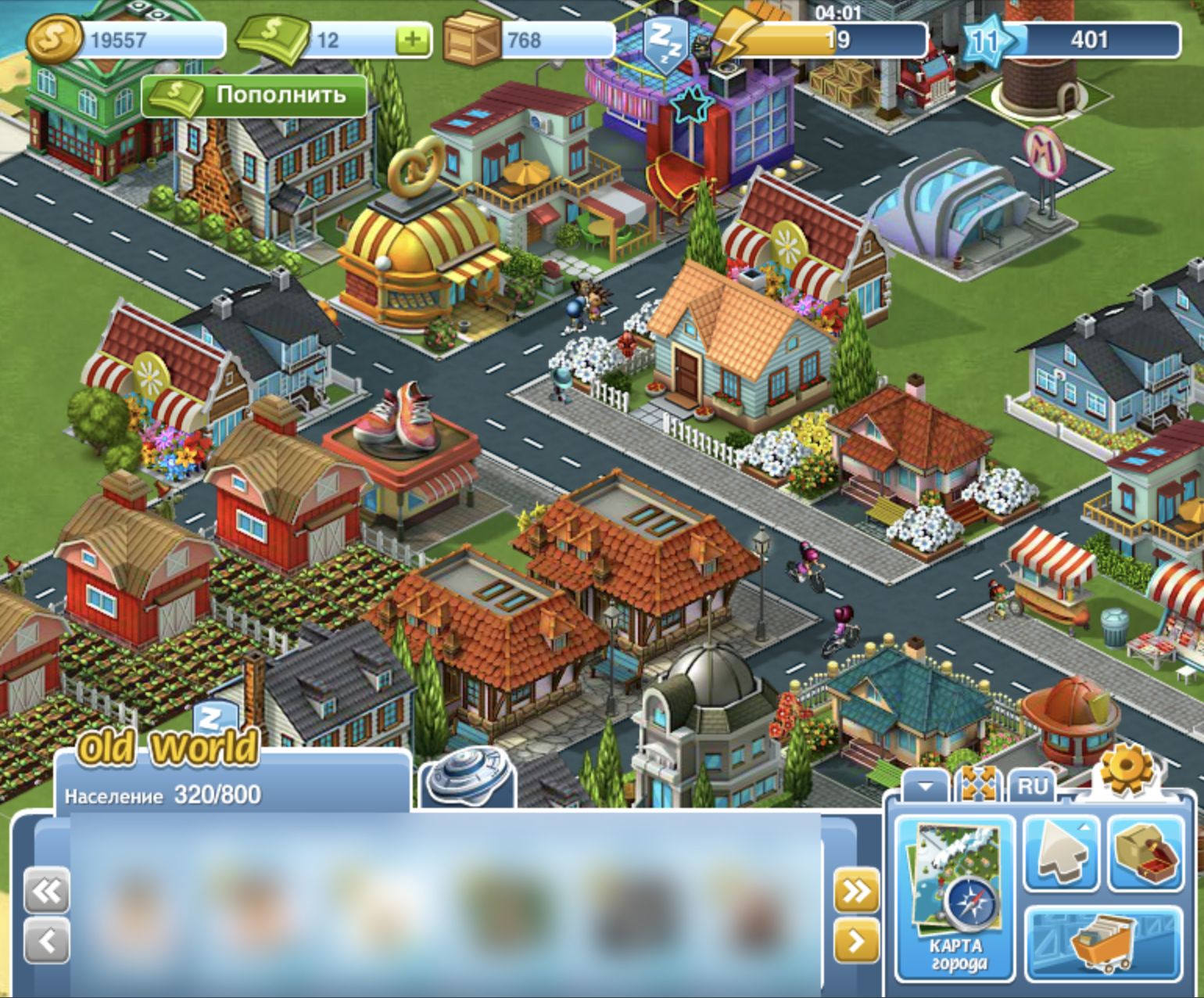
I believe this distinction is particularly important in games. In a utility application, an interface change may be inconvenient, but users can usually learn a new way to achieve the same result. In a game, the interface, feedback, pacing, and sense of familiarity are all part of the experience.
Replacing all of these at once risks forcing long-time players to relearn things they never asked to change.
There was also a more traditional engineering challenge.
Over the years, SuperCity had accumulated numerous integrations and platform dependencies. Rebuilding them, validating them again, and running full regression testing across the product would have required significant investment. We would have rebuilt a substantial part of a working game, then spent more to prove that the new version worked like the old one. There was no guarantee that the result would deliver comparable business value.
So we chose incremental changes: measure their impact and avoid touching working parts of the system without a clear reason.
Preserve the Contract, Change What’s Behind It
One of our key architectural decisions was to preserve the interface the game expected rather than immediately rewrite every system that depended on it.
Flash Player effectively served as a contract.
The game could make familiar calls to request rendering, audio playback or changes, and other operations. When we moved away from Flash, we recreated that contract. The implementation behind it could change without requiring the calling code to understand the details of the new environment.
If the game asks to display an animation, that part of the code should not need to care whether Flash Player or Pixi renders it.
The new layer receives the expected command and delivers the expected behavior.
This allowed us to replace a critical part of the stack without dismantling every connected system at the same time.
The approach still carries technical debt and has required further adaptation over time. However, rewriting all the dependent systems would have been significantly more expensive and risky. This is one of the recurring trade-offs in legacy modernization.
A compatibility layer may differ from the architecture we would choose for a new game today.
But the architecture of a live product is constrained by something a new product does not have: everything that already works.
Moving to TypeScript Meant Migrating an Entire Ecosystem
Our next major step was to stop using ActionScript in development and move to TypeScript.
That transition was completed years after the initial browser migration.
One reason was straightforward prioritization.
A live-service game keeps releasing content while its engineers modernize the foundation. Events still need to launch, servers must handle changes in load, and external platforms introduce mandatory requirements. Product opportunities also come and go. At various points, these tasks took priority over our internal migration. There was also a structural reason for the delay: our dependency on Flash extended beyond the client. Over the years, we had built asset conversion utilities, build processes, internal applications, and workflows around the game.
If we moved only the client to TypeScript while everything around it still depended on Flash, we would simply move the bottleneck elsewhere.
The migration covered much more than what players run in their browsers. We also had to rebuild many internal processes around the game. This less visible work became a major engineering effort in its own right.
Old Doesn’t Mean Wrong
Our art pipeline illustrates why we do not treat modernization as a campaign to remove everything associated with Flash. Over SuperCity’s lifetime, we have accumulated around 80 GB of art assets, including buildings, decorations, and characters. Our artists still use Adobe Animate in production.
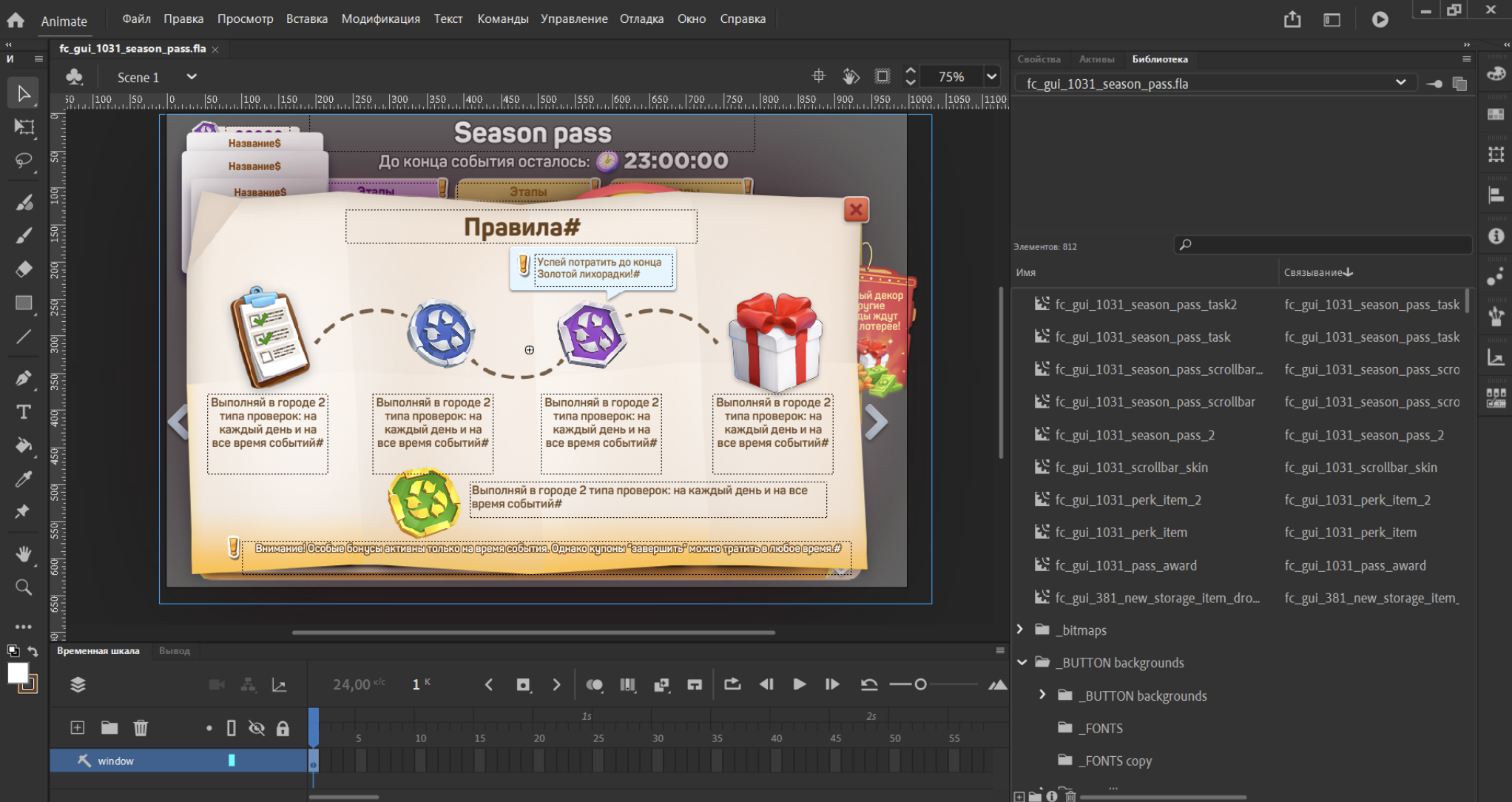
From a purely technological perspective, this might seem like another obvious candidate for replacement. But from a production perspective, the calculation is different.
A new tool must deliver at least the same level of visual quality. And it must work at least as quickly. If the new tool produces lower-quality assets, the product suffers. If it produces comparable assets but slows down every release, production suffers.
We have explored alternatives but have yet to find a replacement whose benefits justify rebuilding the entire workflow. For us, age alone is not a sufficient reason to replace a technology. A component becomes a modernization priority when it creates meaningful constraints.
Sometimes It’s Better to Modernize the Process Around a Tool Rather Than the Tool Itself
Keeping Adobe Animate did not mean keeping the old art workflow.
Previously, artists often could not see exactly how an asset would behave inside the game until developers prepared a working build.
This created a long feedback loop. Art is often produced well before a feature reaches players. If a conversion issue, rendering artifact, or unexpected visual difference is discovered only after a test build is assembled, it is caught too late. We created a browser-based preview tool that acts as a simplified version of the game.
An artist can upload an asset and immediately see how it will look in the actual rendering environment. If colors change, pixels become distorted, or another conversion issue appears, it becomes visible immediately rather than just before release. This change also redistributes ownership. Previously, developers had to assemble assets, prepare builds, and help resolve many of the issues discovered at that stage.
Today, the person creating an asset can independently check the result and take responsibility for ensuring it is ready for the next stage. Quality gates remain in place, but the engineering team no longer needs to act as the manual link between every step.
The legacy tool stayed. The workflow around it became modern.
The Bigger Goal Is to Remove Developers from Work That Doesn’t Require Developers
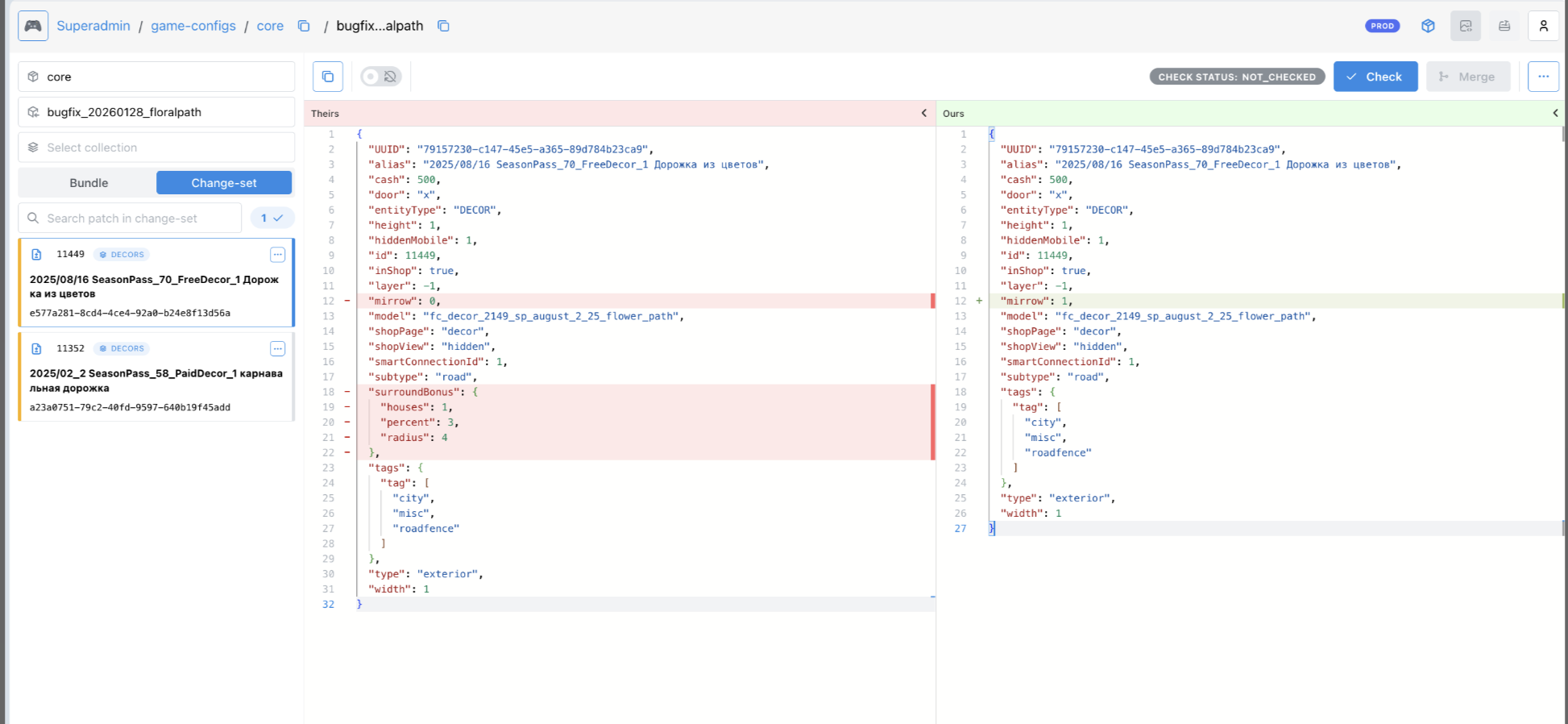
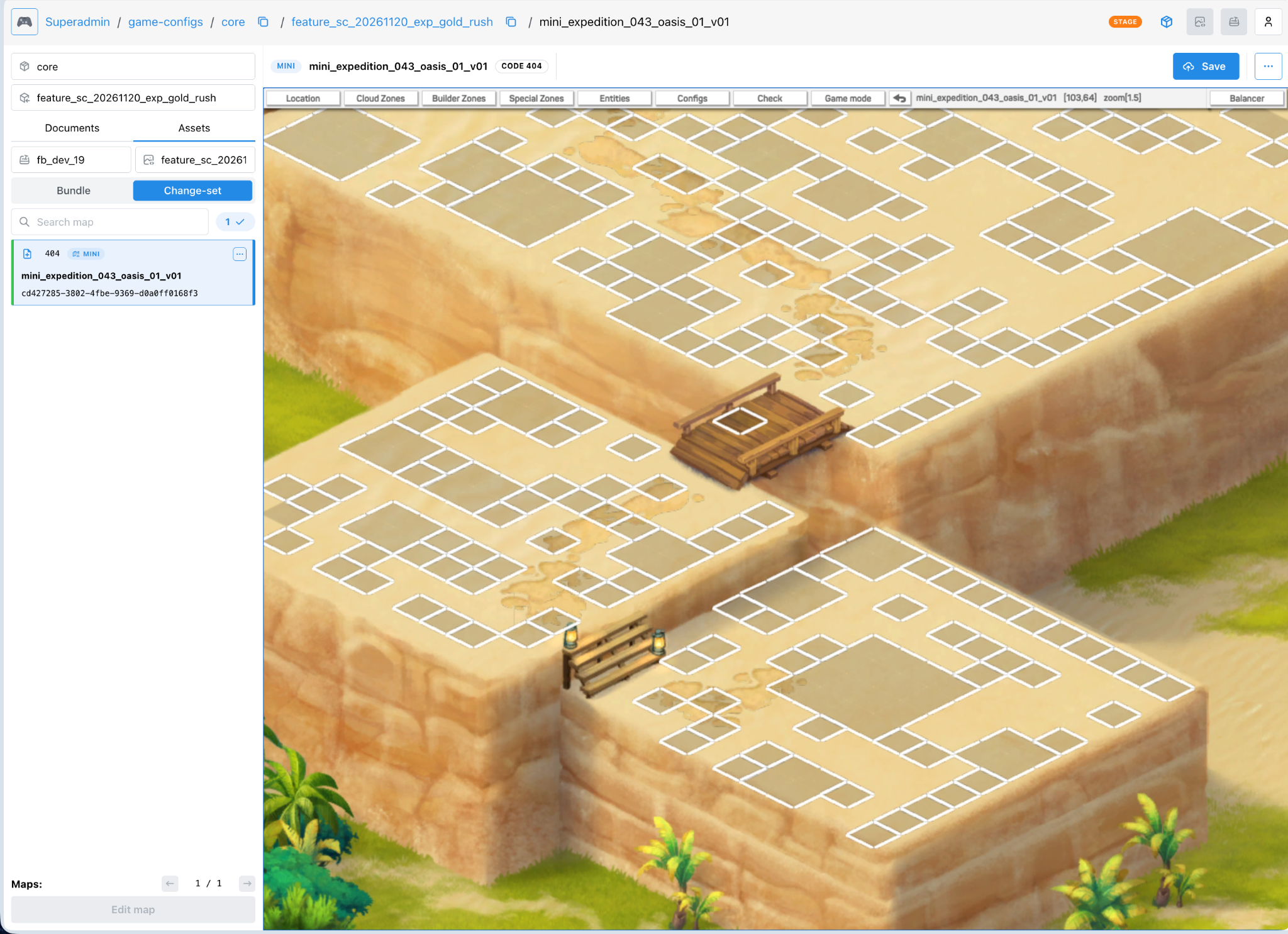
Over time, we applied the same principle beyond art. Over the past few years, we have rebuilt much of our internal tooling into what I would describe as an internal ERP system for the game. Previously, developers were involved in almost every stage of release preparation. Translations, art, game configurations, promotional configurations, and other materials all passed through the engineering team before a build could be assembled.
This created a natural bottleneck. The new tools separate these areas of responsibility. If a specialist is responsible for a game configuration, they can publish it independently. The system knows how to assemble the final result. If a game designer wants to adjust balance values or prototype a feature, they can prepare and test the change without asking a developer to manually move every artifact through the pipeline.
The impact can be substantial.
Workflows that used to require several days, coordination meetings, and developer involvement can now take a few hours. In some cases, the work comes down to a handful of actions in an internal tool.
These tools let specialists work independently without requiring them to become more technical.
A game designer should not need to understand Git branches to test a balance change. A narrative designer should not need to understand the build pipeline to update content. An artist should not need a developer just to see how an asset looks in the game.
Canvas Requires a Different Approach to Automated Testing
Moving from Flash to HTML5 did not create the browser-testing challenge from scratch. Flash had already been difficult to access with standard testing tools. After migration, however, we lost familiar Flash debugging capabilities, while HTML5 canvas brought its own limitations. To browser automation, it can effectively look like a black rectangle.
There are no convenient DOM elements corresponding to each building or interface component. Visual automation therefore requires different approaches.
We have internal debugging tools for inspecting rendering layers, and we can perform some visual checks using images and screenshot comparisons. Many scenarios are still harder to automate than in a conventional web interface. We have automated basic end-to-end scenarios: deploying a build, launching the game, bringing it into the required state, and checking actions such as placing a building or collecting a resource.
But the more complex problem is not necessarily the canvas itself. It is the state of a live game. Two players may see different pop-ups, events, offers, or interfaces depending on their platform, progression, cohort, and timing. A test that worked yesterday may encounter a different LiveOps layer tomorrow. In that case, automation needs to understand not only where to click, but also why the player’s current state differs from what the test expected.
For some scenarios, fully solving this problem would currently cost more than continuing with manual testing. We judge automation by whether it removes a real constraint; increasing the share of the system labeled “automated” is not a goal in itself.
Sometimes Production Has to Become Part of the Testing Environment
During a recent mandatory migration involving one of our platforms, we encountered a situation in which certain behavior could only be properly verified in production. That was a constraint imposed by the platform. We rolled out the change to small percentages of users, monitored system behavior, and expanded the rollout as our confidence grew.
This kind of rollout demonstrates why incremental modernization is useful beyond architecture. It is also a risk management strategy. A major migration inevitably involves unknowns. If a system is designed so that changes can be introduced gradually, their impact measured, and adjustments or rollbacks made without exposing the entire audience to risk at once, those unknowns become much more manageable.
For a live game, deployment architecture is therefore also part of modernization.
The Biggest Advantage Wasn’t TypeScript Itself
Moving away from Flash changed our programming language, but I see one of the biggest improvements elsewhere: the old stack had limited the pool of people who could realistically work on SuperCity.
Finding an engineer who knew Flash, wanted to continue writing in it, wanted to work in the games industry, and was interested in a mature product meant searching for an increasingly unlikely combination of qualities. TypeScript largely removed that constraint.
But even more importantly, modernizing the surrounding tools changed how much engineering attention routine production required. Developers no longer need to be manually involved in every stage of content assembly. Artists can independently validate more of their assets. Designers can prototype and configure more of their work themselves. Internal systems can assemble artifacts that previously depended on an entire chain of people and technical operations.
Some workflows have shrunk from several days to a few hours. For us, that is a more meaningful modernization metric than eliminating every legacy component from the codebase. Our goal was never to create the cleanest possible architecture on paper.
Our goal was to make the game easier to keep developing.
Legacy Modernization Never Really Ends
SuperCity still has old code, systems we would like to improve, and technologies we may eventually replace. We also revisit parts of the game built relatively recently. Our priorities follow the metrics rather than the age of the technology. If something loads slowly, we investigate. Once we remove the biggest bottleneck, the next one becomes visible.
We then optimize that bottleneck. Players benefit from faster loading, fewer disruptions, and more responsive gameplay, while our infrastructure may need fewer resources to deliver the same experience. We cannot declare the architecture modern and stop thinking about it.
For a long-running live product, modernization means continuously maintaining the product’s ability to evolve.
Start With What You Must Not Break
If I were advising another team responsible for a successful product that had been running for 10–15 years, I would start by defining the boundaries.
What are you trying to achieve? What can you realistically change with your team, technology, and resources? What must you avoid breaking? For a long-running live game, that last question concerns both infrastructure and the audience.
A technically elegant migration can still fail if it destroys the familiarity players have built over years. I am also skeptical of technology changes driven by imitation. Another studio’s move to Unity, Cocos, or a popular stack is not, by itself, a reason for us to follow. Every mature product has its own constraints.
My advice is to understand what you want to achieve, what you can do, and what you cannot afford to break. Let common sense guide the rest. That is how I see our journey away from Flash: we gradually removed constraints around the existing game. Flash disappeared from day-to-day client development. Compatibility layers protected working systems as the underlying implementation changed. Internal tools brought responsibility closer to the specialists doing the work.
We introduced automation where it made a meaningful difference and kept manual testing where it remained more cost-effective.
After 15 years of running a live product, we need to keep changing the technology beneath the game while preserving the ability of our players and our team to build on what they already know.